Subscription Portal Guide
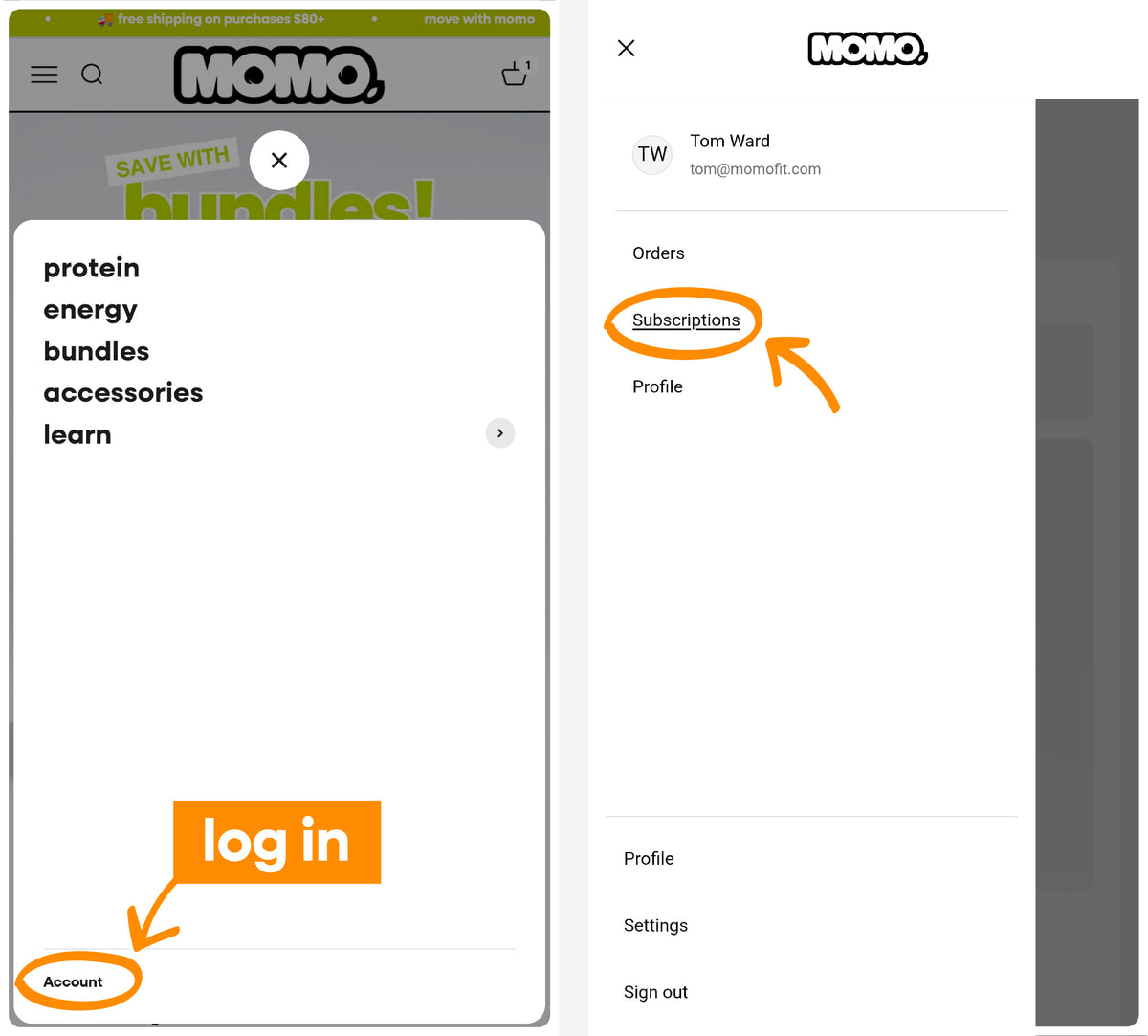
Access the subscription portal
1. Log into your customer portal by selecting the Profile Icon in the menu.

2. Select "Subscriptions"

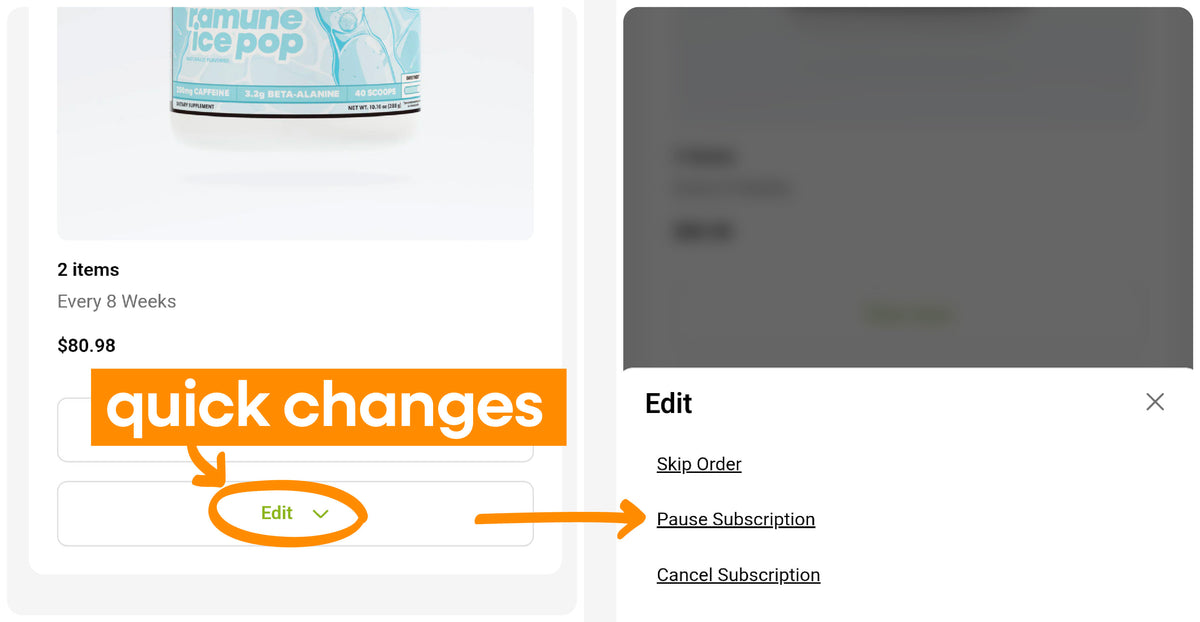
Subscription summary page
View all of your current and previous subscriptions at a glance, and make quick changes like skipping, pausing, or canceling your subscription.

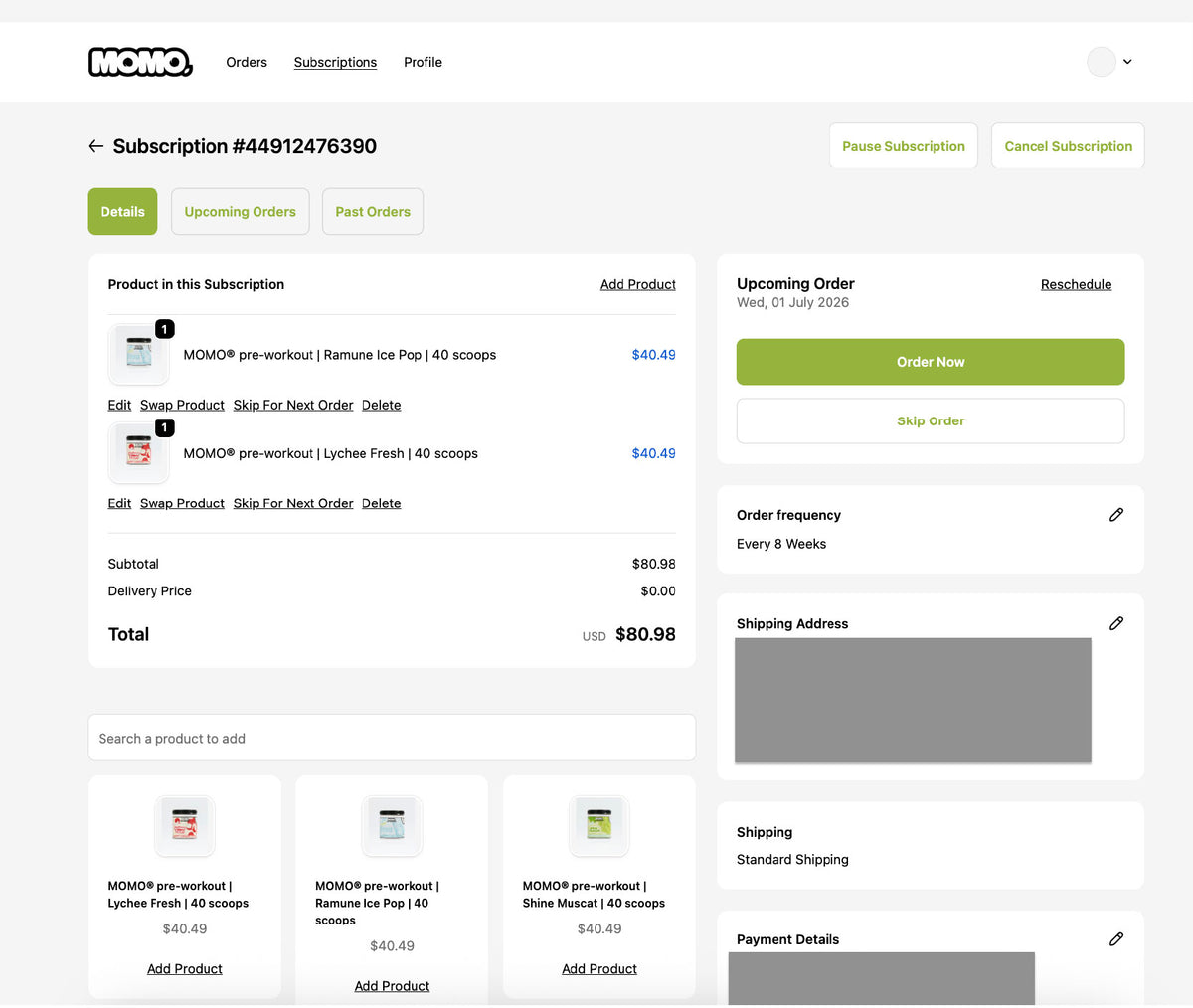
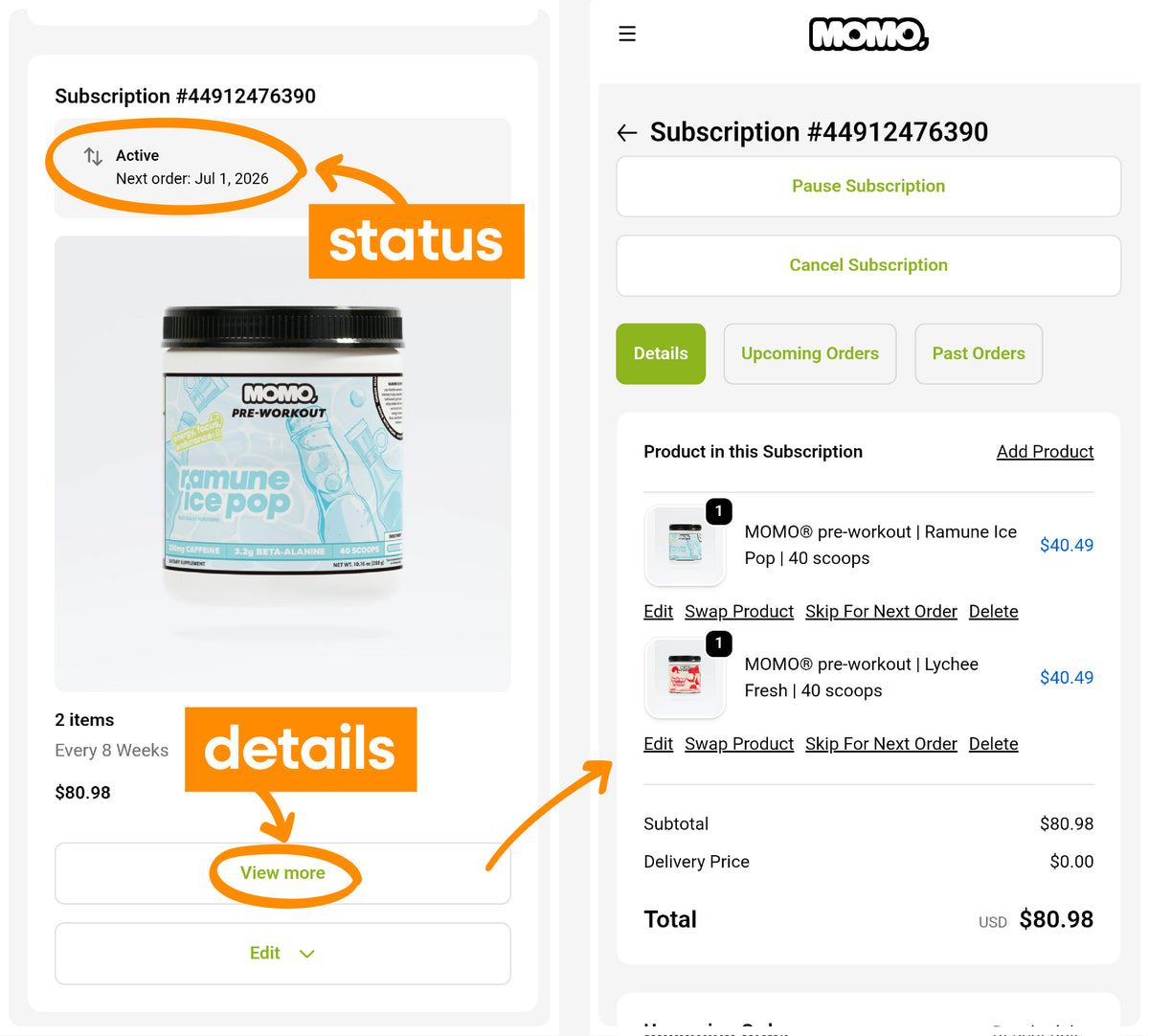
Subscription details page
When you click into "View more" you'll have the option to:
- pause, skip, or cancel your entire order
- or only skip specific items in your next order
- swap product(s) in your subscription
- add, remove, or adjust the quantity of individual products in your subscription
- change subscription frequency
- change shipping address
- change payment information
Access the subscription portal
1. Log into your customer portal by selecting the Profile Icon in the menu.
2. Select "Subscriptions"
Subscription details page
When you click into "View more" you'll have the option to:
- pause, skip, or cancel your entire order
- or only skip specific items in your next order
- swap product(s) in your subscription
- add, remove, or adjust the quantity of individual products in your subscription
- change subscription frequency
- change shipping address
- change payment information
Subscription summary page
Quick changes: view all of your current and previous subscriptions at a glance, and make quick changes like skipping, pausing, or canceling your subscription.